
Sotreus
Real-time situational awareness around you
About this dApp
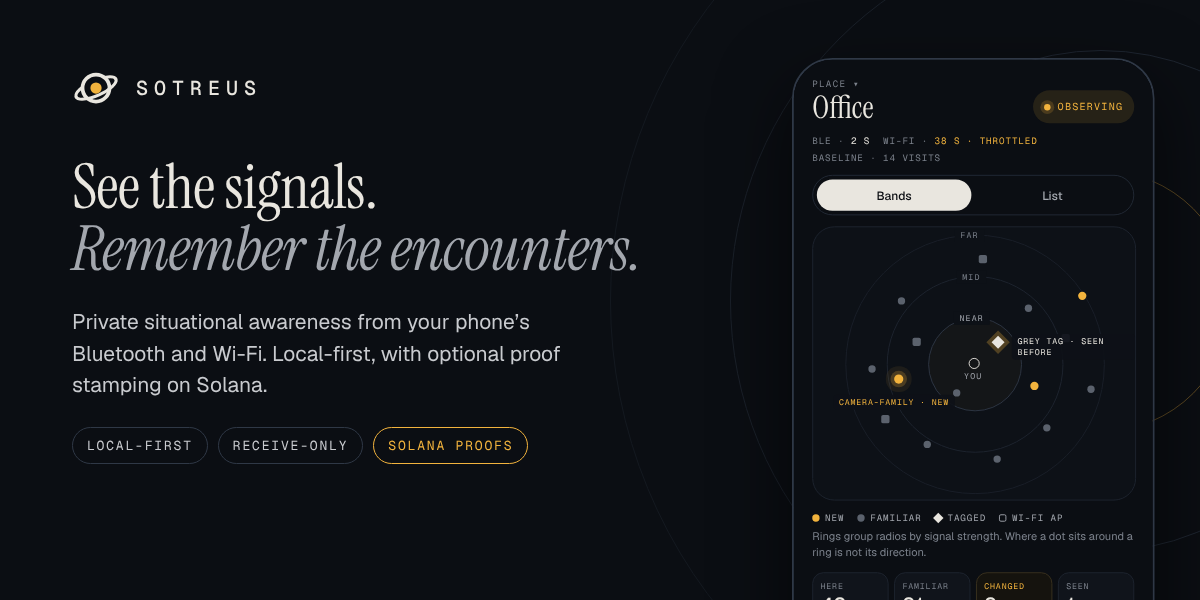
Sotreus brings real-time situational awareness to your phone. See nearby Bluetooth and Wi-Fi signals, understand what’s familiar in the places you visit, and recognize devices you’ve encountered before. Clear explanations help you spot changes and understand why something may deserve your attention. With Sotreus, You can: - Explore nearby signals in a live proximity view or sortable list. - Add names, labels and notes to recognizable devices. - Learn the usual activity in your places and spot changes. - Record journeys and stationary sessions, then review their timelines. - Explore predicted satellite passes, optional aircraft data and supported drone Remote ID broadcasts. - Pair with friends using QR codes and enable private nearby presence. Your observations, places and notes stay on your phone. Core awareness works offline, with no account or wallet required. You control retention, deletion and what you export.
Preview
What’s new
Version 1.3.0
- Use a Sotreus Edge in Mesh mode as a Meshtastic-compatible radio. While the Edge is in Mesh mode and is the source, the Mesh tab takes Now's place; it goes back to Now in Awareness mode. - Send and receive mesh messages on channels and as direct messages, with replies, reactions, quick messages and delivery status (sent, relayed, delivered, no reply, failed). - Ask a store & forward node for missed messages. New messages raise a notification; their text is hidden on the lock screen. - See the nodes your Edge hears: role, hops, last packet's signal, battery and readings. A node's page shows its reported position, a traceroute, its neighbours, Ask position, Favourite, Ignore, and Remove from your Edge's node list when the Edge supports it. - Show this phone, nodes at the positions they report, and waypoints on the Mesh map, with the distance and bearing to a node worked out from the two positions only. Long-press to send a waypoint. - Edit, add and delete channels, share them as a Meshtastic link and QR code, and import one by scanning or pasting. - Change mesh settings from the app: owner names, region, preset, role, hop limit, rebroadcast, transmit power, licensed (ham) mode, modules (MQTT, store & forward, remote admin, telemetry, range test and others), TAK team and role, and a new identity. Read the radio's status.
Ratings & reviews
From the Solana Mobile dApp Store · Ratings and reviews reflect the last catalog sync.
No store ratings available yet.
No written reviews included in this snapshot.